Categories
Technology

Exciting Action at T^3 – Saturday

Back for a second day at the Texas Instruments Teachers Teaching with Technology Conference, and hearing some great ideas from the sessions I have attended.  The highlight of my day today was a panel discussion of  the Nspire app for iPad, which I have just loaded.  The panel was faciltated by TI brand ambassador Dr. Mayim Bialik, who has been a presence throughout the conference on sessions regarding the new app.  Dr. Bialik was joined on the panel by teachers Sheri Abel and Stephanie Ogden, who piloted the Nspire app in their classrooms.

Stephanie summarized her feelings of the ipad app:  “This is what other instructional tools aspire to be”, while Sheri shared a level of engagement from her students she had not before experienced.  As one example, Sheri had students drag and re-drag axes and functions in order to develop a conceptual understanding of domain and range.  The ability to drag and discover has been the greatest source of positive discussion from the app this weekend, and is seen as a gamechanger.
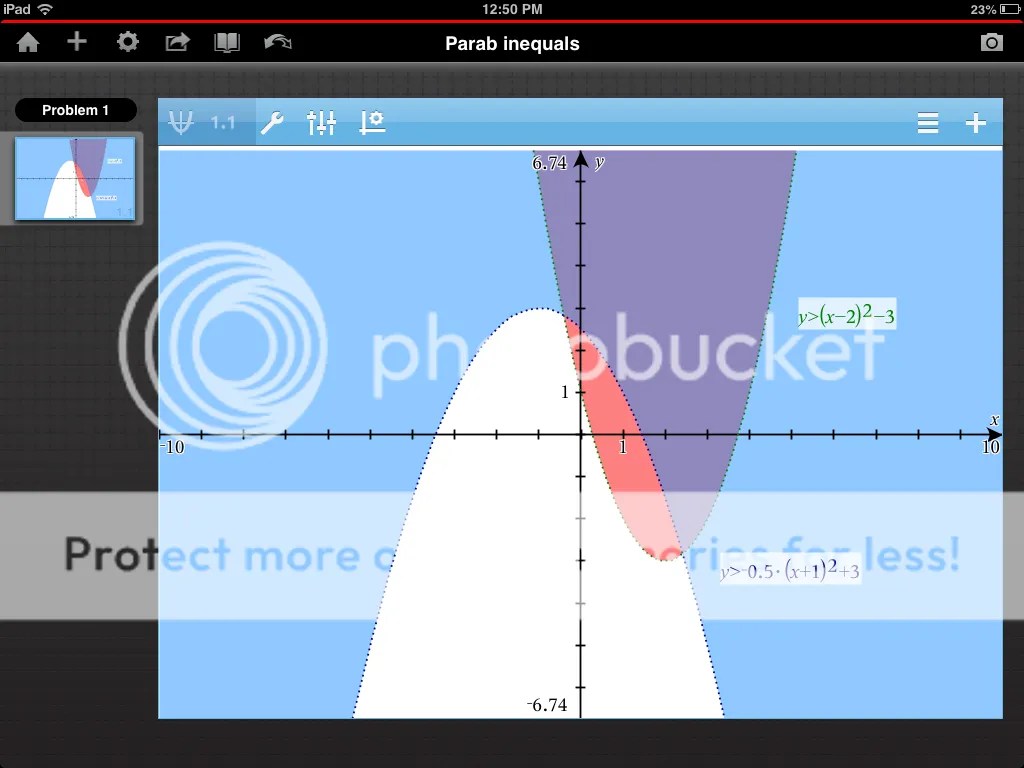
ipad appWhile the app is an exciting tool for discovery, the panel also noted that ipads certainly cannot be used for standardized tests.  To me, it will be a tough decision for schools to make a decision between ipads and handheld: the expense is not insignificant.  Also, schools may need to make a choice between continuing a TI 84 culture, or transitioning to an Nspire culture.
Coming soon, I will take the app back to my schools and hope to work through a lesson or two with classes.  I will share my reflections in a later blog post, so stay tuned….
Earlier in the day, I was excited to experience first-hand the new color 84, which is due to be available in stores for back-to-school time.  The session, 84 Plus C in Secondary  Math in Preparation for AP Calculus, was facilitated by Fan Disher
Fan walked the group through a number of problems from AP Calculus which require graphs.  This was a great opportunity to test-drive the new features.  If you are a veteran 84 user, you will identify the commands and their locations, with some new bells and whistles.  Here are my favorite new features:

inverses

The opportunity to graph functions in color, and have a color background, makes it so much easier to identify and compare graphs.  Pictures can be added as backgrounds.  The calculator comes with 5 pictures, just begging for function-modeling, and your own photos can be added by using TI Connect.

No more AAA batteries!  water fountainIf your math department spends crazy money each year just on batteries, this is a huge improvement. Calculators can be recharged using cables, or a docking station.  In chatting with TI trainers, they tell me that a calculator will hold a change for about 20-30 hours, or about 2 weeks of occasional use by a student.

Me calc

Besides utilizing the new features of the 84C, this session also modeled composition of functions, and how to use the 84 to facilitate class discussion of domain and range of composites.  Problems from AP Calculus were used to look at graphs, shaded areas, function tables, and TI’s real-type features.  Great stuff I will take back to my colleagues.

On Friday, I had the opportunity to sit down with Mari and Dale from TI to discuss some of my concerns about the latest wave of TI products, in particular that there is so much new stuff coming out at the same time….so much so that it becomes tricky for teachers to select a product and standardize their building technologies.  Dale, who has been involved with TI for 16 years, did an excellent job of walking me through TI’s thought process.  With the 84 color, TI has acknowledged that, while the Nspire and its iPad app have improved educational capabilities, the is a large core audience which is attached to the 84.  Ignoring them or forcing them into the Nspire would not be wise, or very nice.  Also, the overall look of the 84 had not changed for some time, even with vast improvements, and decreased cost, of memory and color screens.  So, now we have the 84 C!  And its improved interface is worth considering for your classroom.

If you read my blog post a few weeks ago, where I broke up with TI, I need to give you a status update on our relationship.  I’m happy to say that we talked things out, and I will be happy to be in a relationship with TI for quite some time!

Categories
Technology

T^3 Conference – My First Look at the iPad App

The 25th annual Texas Instruments Annual conference started today, and after an inspirational opening by Leland Melvin, I was eager to get to my first session on the new Nspire iPad app.  I think I am currently in my “stubborn” stage…refusing to pay to buy this until I understand its worth.  So, for now, I will sit back, try to learn, and gauge the reaction of the room.  The app is currently “on sale” at a price of $4.99, which is $25 off the regular price.  Whether the regular price is way to high, or the sale price is too low….I’m not sure yet.

The icon for various page types (calculator, graphs, geometry, etc) will be familiar to those who have used the Nspire computer software.  Also, a short introduction / tutorial is provided, but what fun is that?  Today’s presenter was Andy Kemp, who led us on an hour-long tour of the features of the new app.

A math keyboard is provided, and seems to be designed to have a different look and feel than the standard iPad keyboard.  Templates for things like fractions, matrices and derivatives seem to be intuitive.  Also, some buttons can be held and pressed to give extra functions.  Holding down the cos key will give a menu for sec, and their inverses.

Ipad app

“The ability to move the graph around with your fingers and manipulate it is what is fundamentally different”.  The function rule will change as the graph changes.  This is nothing much different than the handheld, but the transformations are much smoother with the ability to drag with fingers, rather than using the closed hand tool.   A variable button allows us to recall previous functions, and use them to create new functions.

I do appreciate and like how the sliders work on this app.  The slider box can moved and resized much more easily, and the settings can be changed by holding down on the slider box.  Also, the animation feature is much more obvious and easier to implement.

Here’s what I don’t quite understand.  To find roots of a function, TI still wants me to identify a lower and upper bound, after which it will then search for roots. This, to me, is not as convenient as the Desmos calculator, where landmark points are identified easily, and can be turned off if I like.  Not sure I understand TI’s obsession with requiring boundary selections.

My first impression is that I would use this more than the teacher software, which to me is often clunky and slow.  I like that I can create files which can feature graphs, data, and functions.  And TI continues to update its arsenal of activities and files.  So, eventually, I will probably relent and purchase the app for my ipad.

Categories
Algebra Middle School

Follow-Up on Math Term Expungement

In a comment from my recent post “3 Phrases From Math Class we Need to Expunge“, Tina from the blog Productive Struggle shared a Google Doc she has been assembling of terms and “tricks” we all could evaluate in our math courses.

Tina is requesting 3 categories of entries:

What tricks do you hate when students shout out?
What words do your students use without understanding?
What notation do you wish students started using earlier?

Here is the link to the document: Tina’s Google Doc

My favorite so far is Tina’s idea to introduce subscript notation for sequences and series earlier in math courses.  It always surprised me how much trouble that was for my 9th graders….silly almost.