Categories
Statistics Technology

Let’s Play Plinko! At the Siemens STEM Academy

Today, it’s my turn to present at the Siemens STEM Academy in Silver Spring, after an exciting adventure in Washington where the fellows spent the day exploring the White House and the National Museum of Natural History, with a few of us escaping to the Air and Space Museum.

Air and Space

For today’s presentation, I took an old favorite from probability class, Plinko, and shared methods for using tech resources to share data and facilitate discussions.

To start, here is a video of Plinko drops I created, using clips from multiple You-Tube clips of Plinko games.

Before the simulation, I ask students to contribute their thoughts about the Plinko game, and the chances of winning the $10,000.  In the past, hand-raising or dry-erase boards were used, but the site Poll Everywhere provides a chance for feedback via cell phone text or website:

Poll 1

poll 2

I have walked students through Plinko simulations in my probability classes for over 10 years.  Students use flipped coins to travel down the pegged path, using a heads to move right and tails to move left. The slot the Plinko chip lands in is then recorded, and the experiment repeated.  Lately, I have encouraged participants to explore random.org, which provide random number draws, flipped coins, and cards drawn from decks.

Pairs and small groups generate data on Plinko success, which we would like to compile into one large class set.  In my earlier years, students kept track of their data, then contributed to the class results on my overhead projector. Later, the TI Navigator system was used to transmit results through graphing calculators. In today’s presentation, a Goggle form was shared for participants to submit results, then a summary table created.

Results

For submitting results, fellows were challenged to make a 30-second video which summarized their findings. Video were then submitted to my YouTube channel, using cell phones.  Look under your channel settings to find your submission address.  Here, Alysha and Brandon share their discoveries:

Finally, a photopeach slide show demonstrates how to get your class focused the next day, by summarizing an earlier day’s events through a photo slide-show quiz.

Using technology efficiently to keep students engaged, share data, and encourage innovation have been strong themes this week.  It’s never a bad time to examine lessons we have used for years and evaluate new technologies to improve their delivery.

Categories
Algebra Middle School Technology

Siemens STEM Academy – Sunday with Lodge

This week, I have the incredible opportunity to participate in the Siemens STEM Academy, held at Discovery HQ in Silver Spring, MD.  This year, I am serving as a team leader, after having been an attendee (fellow) last year.  What a tremendous week of sharing with colleagues who are are all into advancing the cause of STEM education.  As a team leader, I am excited to share my skills and ideas with the group, and will post parts of my presentation to the blog later this week.

Right now, the group is hearing from Dr. Lodge McCammon, a pioneer in using music and video to stimulate and educate students.  This year’s group of 50 fellows, after some initial networking, are hearing about Lodge’s process for putting together his songs, which often require the recruitment of his mom and dad to perform musical parts.

Lodge

But moving beyond the songs, Lodge seeks to have students symbolize the lyrics through movement, the “Kinesthetic Lecture”.  Today, the fellows learned new “moves” to share for Lodge’s “Mitosis” song.  Check out there lyrics here (you can also experience more of Lodge’s great songs there), and the kinesthetic moves below:

Lodge is also an expert in the “flipped” classroom model, where teachers produce videos of lessons and concepts, for students to watch and review at home.  In the presentation, Lodge shared anecdotes and ideas for implementing the flipped model.  Many of his ideas and resources can be found at his FIZZ site on the Friday Institute for Educational Innovation.  Here’s a quick introduction by Lodge explaining the flipped concept:

I have worked with a number of teachers who are interested in the flipped model, and the flipped ideas have received much press through sites like Khan Academy.  Lodge has collected data on the success of the flipped model through middle school math teachers he works with,  including a comparison of a teacher-created video lesson versus Khan Academy.  I appreciate that Lodge stresses the need for teachers to produce their own videos, and continue to be identified as their students’ educational expert:

It’s critical that the teacher be the deliverer.

Teachers teaching cannot be outsourced and replaced.

Teachers matter now more than ever!  You can follow Lodge on Facebook at http://www.facebook.com/fizz.education.  What a fantastic kick-off to the week. Looking forward to hearing about and sharing more classroom ideas.

Categories
Algebra Technology

Channeling Creativity in Algebra 2

UPDATE – I recently posted more info about this project, with a rubric and more examples, at this post.

One of my favorite math projects takes place during our unit on conic sections in Algebra II.  In the project, students are challenged to manipulate equations of conics and graph them using software to make pictures.  I started with this project 12 years ago when a colleague, who has since retired, introduced me to his ideas.  Back then, we used a DOS program which could only graph in black, cyan and magenta.  We were happy if we saw a tree made from a hyperbola and a parabola leaf line.

The project grew new wings with a program called Math Toolkit, which allowed for finer graphing and the ability to save work.  Later, we started using Print Screen to grab the graphs and move them into MS Paint.  The projects grew more intricate, and many kids took off with their creativity.

This year, the Desmos online calculator brought the project to a new level.  Students this year could work on their equations at home, save work, and work with their teacher during time allotted in class.  Thanks to Kevin for working with his class to share their creations.

First up is Kristin.  Her project moves from Desmos to Paint.  Then un-needed pieces are removed, and the final product emerges.

Conic 1

Conic 2

Conic 3

Next up is Matt.  Here are his graphs after the axes and grid were removed….

Conic 4

Any ideas what the finished product will be?

Did you guess yet?

OK, so you just want to see it…ok….

Conic 5

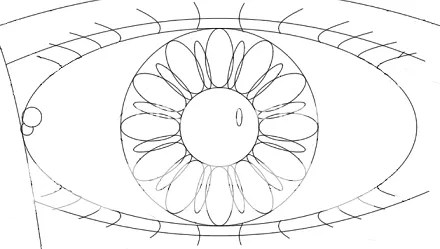
What I love most about this project is when students discover how the conics behave, and experiment with them without fear.  In the next example, Connor wanted to tilt his ellipses and researched on his own how to make that work using trig functions (did I mention that these kids haven’t had trig yet?).

Connor1

Connor 2

Connor 3

In some years, I have had students peer-assess their work by creating an art gallery of their work.  Giving each student 5 star stickers, I had students select their favorites.  Contact me if you would like any of the instructions or rubrics I have used for this project in the past.  Thanks again to Kevin and his Algebra II class!