Categories
Statistics Technology

A Bowl of PASTA with Stats Friends

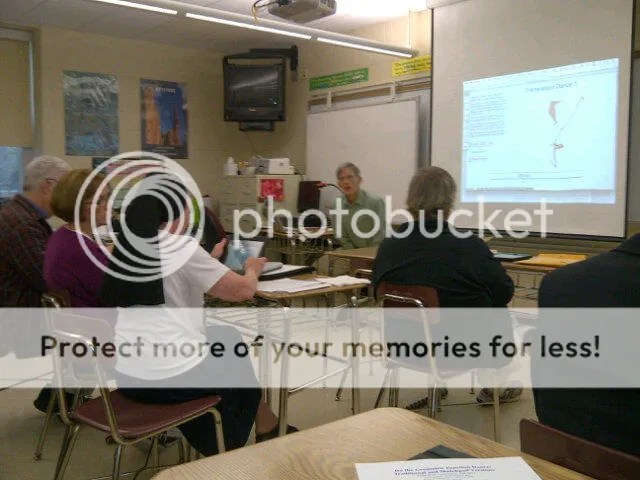
Today I attended the winter meeting for one of my favorite organizations: PASTA, the Philadelphia Area Statistics Teachers Association.  This group meets a few times a year to discuss best practices in statistics education, and includes a number of AP teachers, many of whom are AP exam readers.  As always, lots of interesting ideas today:

Joel Evans, from my home school, spoke on his first attempts to “flip” his AP Statistics class.  Based on feedback from his students, Joel realized that Powerpoints often dominate his classroom culture.  By flipping, Joel hoped to have students review material before class, then use class time to practice and discuss.   Follow Joel’s flipping story in the slides below.

It is always a pleasure to have Daren Starnes at our meetings.  Daren, one of the co-authors of the ubiquitous The Practice of Statistics textbooks, joins our group often to discuss his ideas for teaching statistics.  Today, Daren shared a presentation, “50 Shades of Independence”.

Daren asked us to think about all of the places where we encounter “independence” in AP Statistics:

  • probability of independent events
  • independent trials
  • independent random variables
  • independent observations
  • independent samples
  • independent categorical variables (chi-squared)

Man, that’s a lot of independence!

Which items from the list above deal with summarizing data?  Which are needed for inference?  How are they related?  How do we help our students understand the varied, and often misunderstood, meanings of independence.

Daren has a knack for leading conversations which invite participants to express and discuss their math beliefs. Daren   Many of the arguments concerning independence, according to Daren, are “overblown”, in that teaching them in a cursory manner often causes us to lose focus on the big picture. That’s not to say that we should discard them, but that, when teaching inference, we should have students focus on items which would cause a hypothesis test to be “dead wrong” if we didn’t mention them, i.e. randomness, justifying normality conditions.

penniesRuth Carver continued the presentations with some new tech twists on a lesson used by many stats teachers: analyzing sampling distributions by looking at the age of pennies.  A population graph of the ages of 1000 pennies hangs proudly in Ruth’s classroom.

After agreeing that the population is clearly skewed right, we move to the main event – drawing random samples from the population and analyzing the data we get from repeated samples of the same size.  Ruth has developed a lesson for the TI Nspire which generates the samples, and challenges students to think about the behavior of the sampling distributions, now considering the effects of sample size.  Ruth’s presentation allows students to experience and express the differences between:

  • Standard deviation of a population
  • Sample standard deviation
  • Standard deviation of a sampling distribution

Ruth

Great job Ruth!  Looking forward to more PASTA with my stats friends!
Categories
Algebra Geometry Middle School Technology

Doing the Translation Dance

Last month, I wrote about my talk on Encouraging Perseverance in Math Class, given at the Fall, 2012 ATMOPAV conference.  But earlier that same day, I had the opportunity to hear Scott Steketee‘s thoughts on functions: “Function Dances: Using Transformations to Make Variables Vary and Functions Behave”.

Steketee

I have found that the approach many teachers take to functions is one of notation only.  That by simply introducing the f(x) and g(x) symbols, and “covering” domain and range, algebraic functions will be understood.  Scott’s presentation provided ideas for introducing the concept of  function, without all of the scary symbols, through dynamic Sketchpad files.  The group worked through a number of progressively intricate functional relationships on iPads.  In this first example, students can grab points and look for relationships.  Some points will not move when dragged, as they are “dependent” upon other points’ movements.    Also, the dependencies vary, from simple linear relationships, to a few which require dilations or reflections.

iPad1

Later, we were introduced to the Sketchpad “Translations Dances”.  As one point (below, the point on the green outline) travels about its “domain”, we are challenged to trace the “range” of the translated point p.  These start off innocently enough, but become more diabolical as the translations begin to include reflections and rotations.

iPad2

These were addictive and appropriate uses for the iPad, and I was able to easily load the files into iPad’s Sketch Explorer through my DropBox account.

The second half of Scott’s talk was more kinesthetic, social, and potentially embarrassing, as the group split into partnerships to choreograph dances based on transformations.  My partner acted as the independent variable, and I (the dependent variable) followed her actions, using lines in the floor to act as  axis of reflection.  This would be a fun way to expose kids to functional ideas, but I made sure that no photographic evidence of my dancing ability exists!

What I appreciated most about Scott’s sketches and dances is that they allow teachers to develop functional ideas without having to wade through all of the complex language.  Through play and exploration, students can summarize their observations, and begin to characterize the relationships.  As students begin to understand the relationships between variables, we then can discuss the need to have special notation to express them.  Finally, dilations and reflections, which are often over-looked in our curriculum, become the stars of the show through fun (and addicting) Sketchpad games.  My screen grabs here certainly don’t do Scott’s files justice, so download them, play around, and enjoy the dances!

Categories
Middle School Technology

Estimation with the QAMA calculator

I first heard about the QAMA calculator a few weeks ago, and was immediately intrigued.  The QAMA website advertises its device as

The revolutionary calculator that shows the answer only when you also enter a suitable mental estimate.

That’s a good enough hook for me, so 5 devices were ordered, and I had the first chance to work with a group of students using the QAMA calc.  Students in a 7th grade class rotated through learning stations, where working with me on “percentage of a number” problems were a station challenge.

To start, I had students enter the problem 2.8 x 4.9.  Pressing the equals key, students were not given the answer, and instead must give an estimate of the answer.  An answer deemed “reasonable” will then produce the actual answer.  Here, the students agreed that 3 x 5 = 15 would be a reasonable estimate.

From this introduction, we dove into the first percent problem:  what is 78% of 210.  After writing the problem as a decimal multiplication problem, we brainstormed estimation ideas:  75% is close to 78%, and 200 is pretty close to 210 as well.  This led to discussion on parts of 200:  what is 25%, what is half, how much is 75%.  An estimate of 150 was deemed close enough, and the students were hooked.  Students worked at their own pace through the problems, and were excited when their estimate was considered close enough.

Calc 1

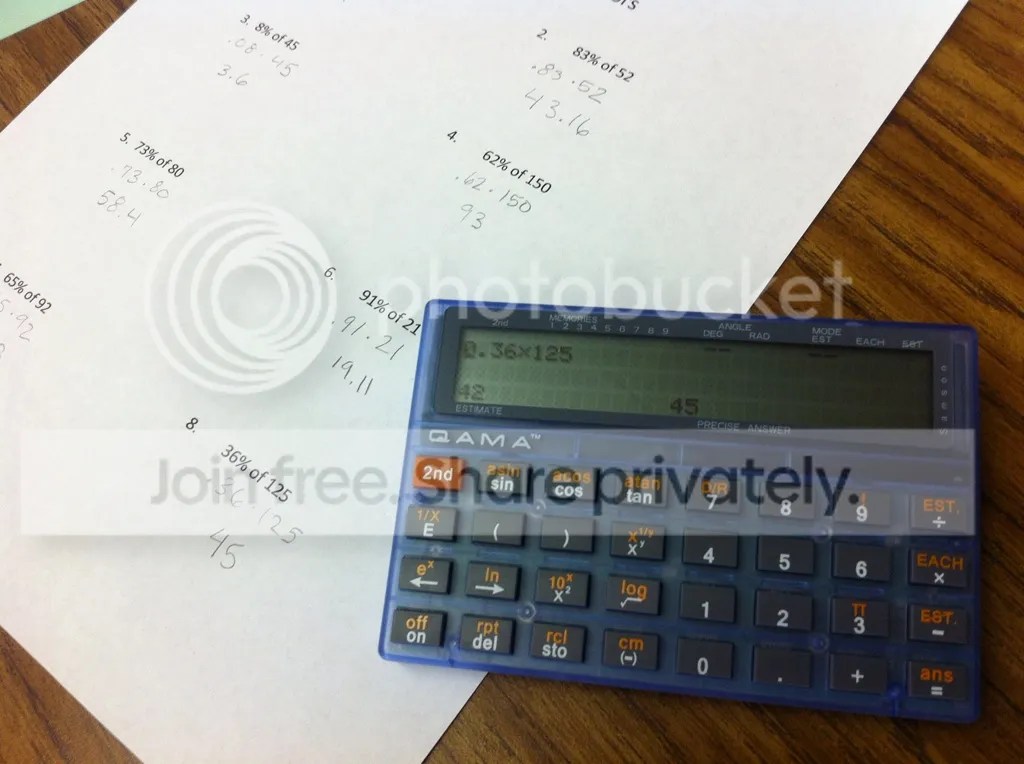
One of the trickier problems, and one which caused the most discussion, was 8% of 45.  After agreeing that .08, rather than .80, was needed here, honing in on an estimate was a tough ride.  Can we find 10% of 45?  How much less do we need to shave off?  The calculator apparently adjusts its tolerance based on the sophistication of the problem, so some close answers were not allowed.

This problem also yielded the strangest accepted estimate of the day:

calc 2

If anyone can figure out the logic here, I’d be interested to hear it.  Insight into the complexity of the estimation algorithm can be found on the company’s website.  EDIT:  as the folks at QAMA explained to me, the calculator will simply give you the correct answer after 5 incorrect guesses.  This particular student was all over the map with his guesses, so I would not be surprised if this photo represents his 5th guess.

Also, one feature I like is that you can shut off the estimation feature, but the calculator has flashing red lights to let the teacher know the feature was disabled.  Pretty sneaky!

But, this was a fruitful activity, which allowed students to communicate their number sense, and verify their estimates.  Looking forward to hearing more stories of the QAMA calculator.